
- 02 May 2026
- ⚙ Coding Vibes
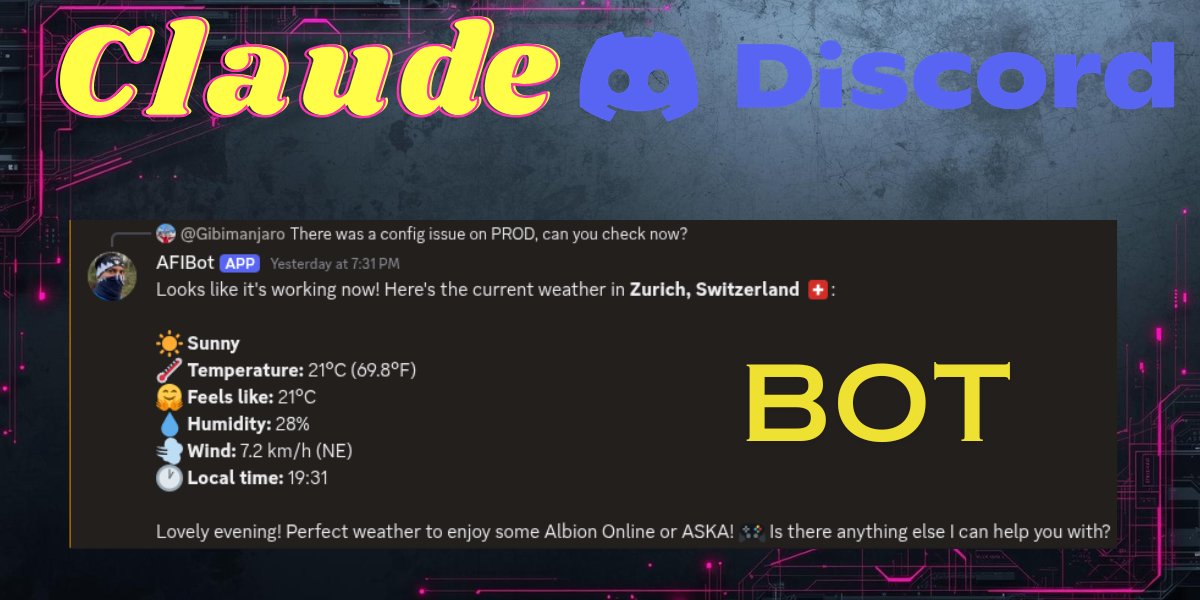
Try out the bot ➡️ link at the end
A few weeks ago I started experimenting with local LLMs and agentic AI. One thing led to another and I ended up building a fully functional AI-powered Discord bot backed by Claude. In this article I'll walk you through the architecture, the key code, and the lessons I learned along the way.
The Stack
- Discord.js — for the Discord WebSocket connection and message handling
- NestJS — as the backend framework
- OpenAI SDK — as a universal client (works with Claude, OpenAI, and local llama.cpp)
- Claude (claude-sonnet-4-20250514) — as the LLM powering the bot
- WeatherAPI — for real-time weather data
How the Bot Works
The interaction flow is simple and feels natural in Discord:
- A user mentions the bot to start a conversation
- The bot replies to that message
- If the user wants to continue, they reply to the bot's reply
- The bot traces the reply chain backwards to reconstruct the full conversation history
This means no sessions, no state on the server — the conversation history lives entirely in Discord's reply chain.
Connecting to Claude via the OpenAI SDK
One of the most elegant parts of this setup is that Claude exposes an OpenAI-compatible API. This means you can use the standard OpenAI SDK and just point it at Anthropic's endpoint:
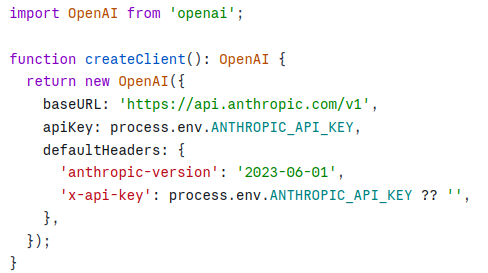
This also means you can swap to a local llama.cpp instance during development with zero code changes — just change the baseURL and apiKey.
Multi-Turn Conversation History
When a new message arrives, the bot traces backwards through Discord's reply chain to reconstruct the conversation:
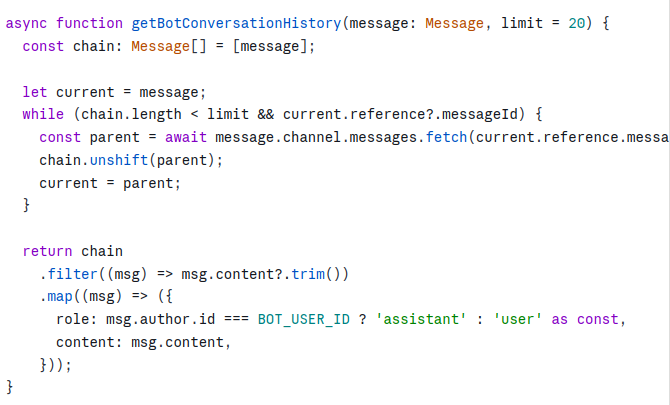
Each Discord message already knows its parent via message.reference.messageId — so there's no need to scan the channel at all.
The Agentic Loop with Tool Calling
The real power comes from tool calling. Instead of just answering questions, the bot can call real APIs and feed the results back to the LLM. The pattern is a simple loop — keep calling the LLM until it stops requesting tools:
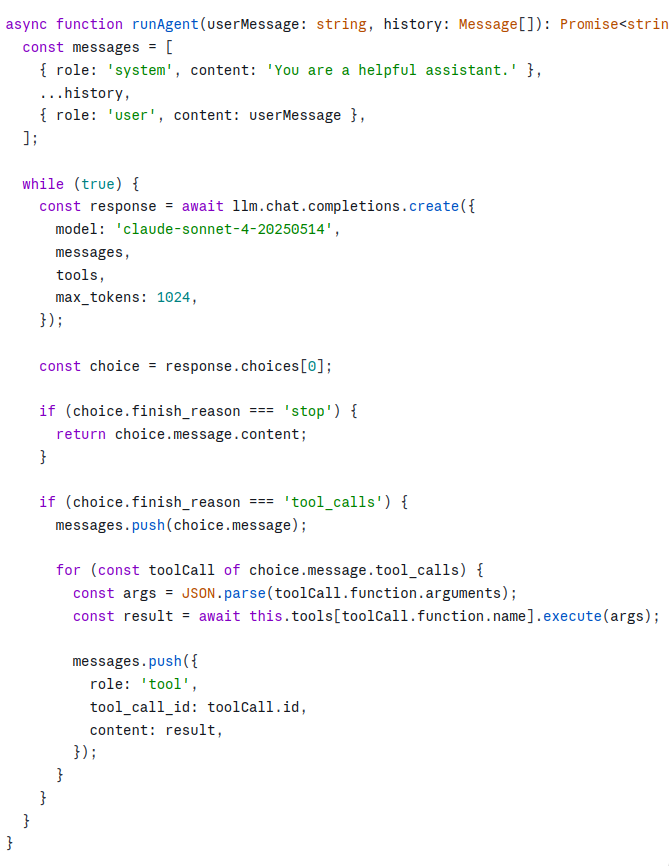
Tool: Weather for a Location
I integrated WeatherAPI to let the bot answer questions like "What's the weather in Bucharest?". Each tool is a NestJS injectable with a static definition for the OpenAI SDK and an execute method:
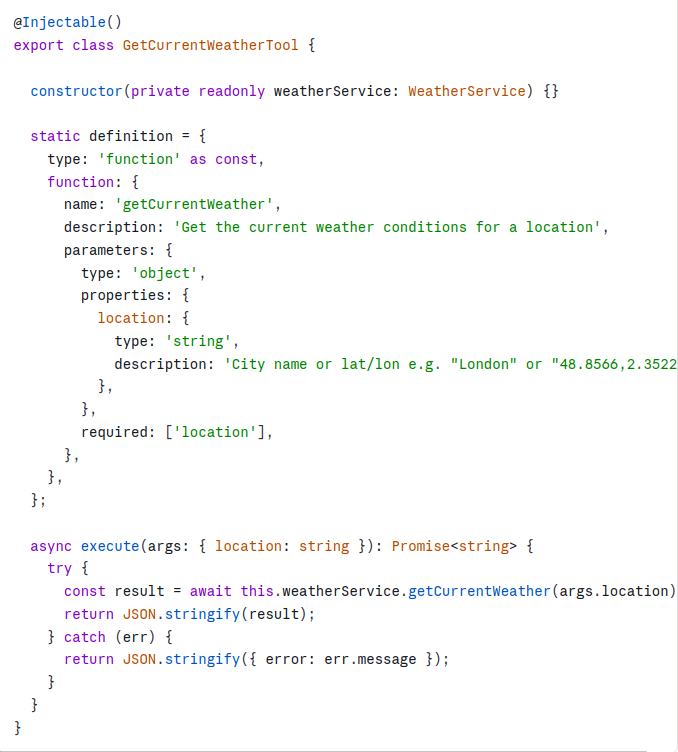
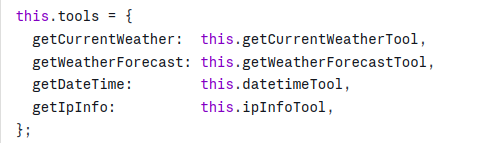
The tool system is designed so that adding a new capability is just a matter of creating a new class with a definition and an execute method, then registering it in the agent service:
UX Details That Matter
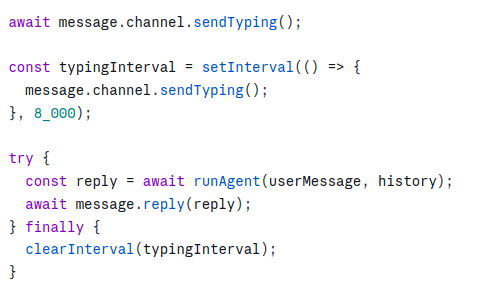
Typing indicator — while the LLM is thinking, the bot shows a typing indicator so users know it's working. For long responses the interval is renewed every 8 seconds:
Mentioning the user back — when the bot replies it mentions the user so they get a notification:

What Impressed Me Most
I expected building this to be complex. It wasn't. The OpenAI SDK's compatibility layer means you can switch between Claude, OpenAI, and a local model by changing a single environment variable. The tool calling pattern is remarkably clean — the LLM decides when to call a tool, what arguments to pass, and how to interpret the result. You just wire up the execution.
The conversation history approach — tracing Discord's reply chain backwards — is also surprisingly elegant. No database, no sessions, no state. Discord itself is the memory.
What's Next
- RAG with local documents — feeding the bot a knowledge base via ChromaDB
- More tools — calendar lookups, database queries, web search
- Kubernetes leader election — ensuring only one pod holds the Discord WebSocket connection when scaled horizontally
If you're thinking about building something similar, my advice is to just start. The primitives are all there and they compose beautifully.
Wanna join and checkout the bot? Use this invitation link to join my Discord Server!