- 03 Aug 2026
- 🕹 Retro Gaming
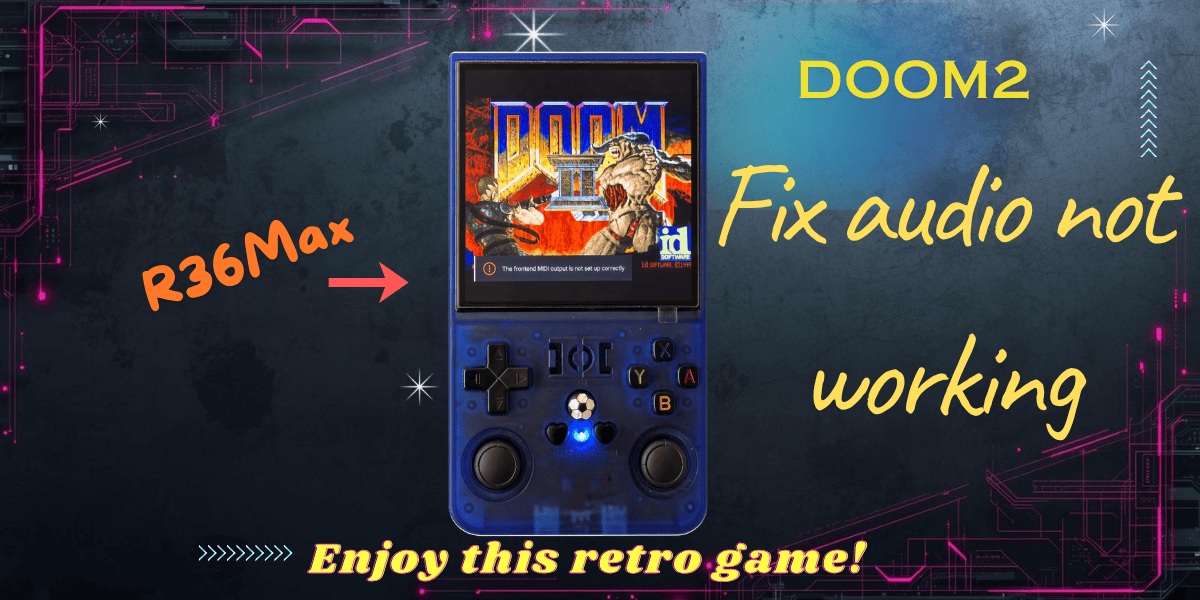
In this video I'm showing you how to install both DOOM1 + DOOM2 at the same time. I did the tutorial on the R36Max, but steps are the same for other consoles, including R36S!
You will relive the nostalgic moments that these 2 games bring + you can take it anywhere.
Common glitches
There are unfortunately some common glitches that you might encounter. If you find more, don't hesitate to write me a comment on the video or contact me directly.
DOOM1 - space key not working
You may notice that this key is not working. It means you will not be able to open doors or switches, so you'll get stuck at the first level. The problem is that the console Y key is having 2 bindings, space and F (don't know why). To check this, make sure you are in the game.
How to solve
While in game, press the left joystick middle button.
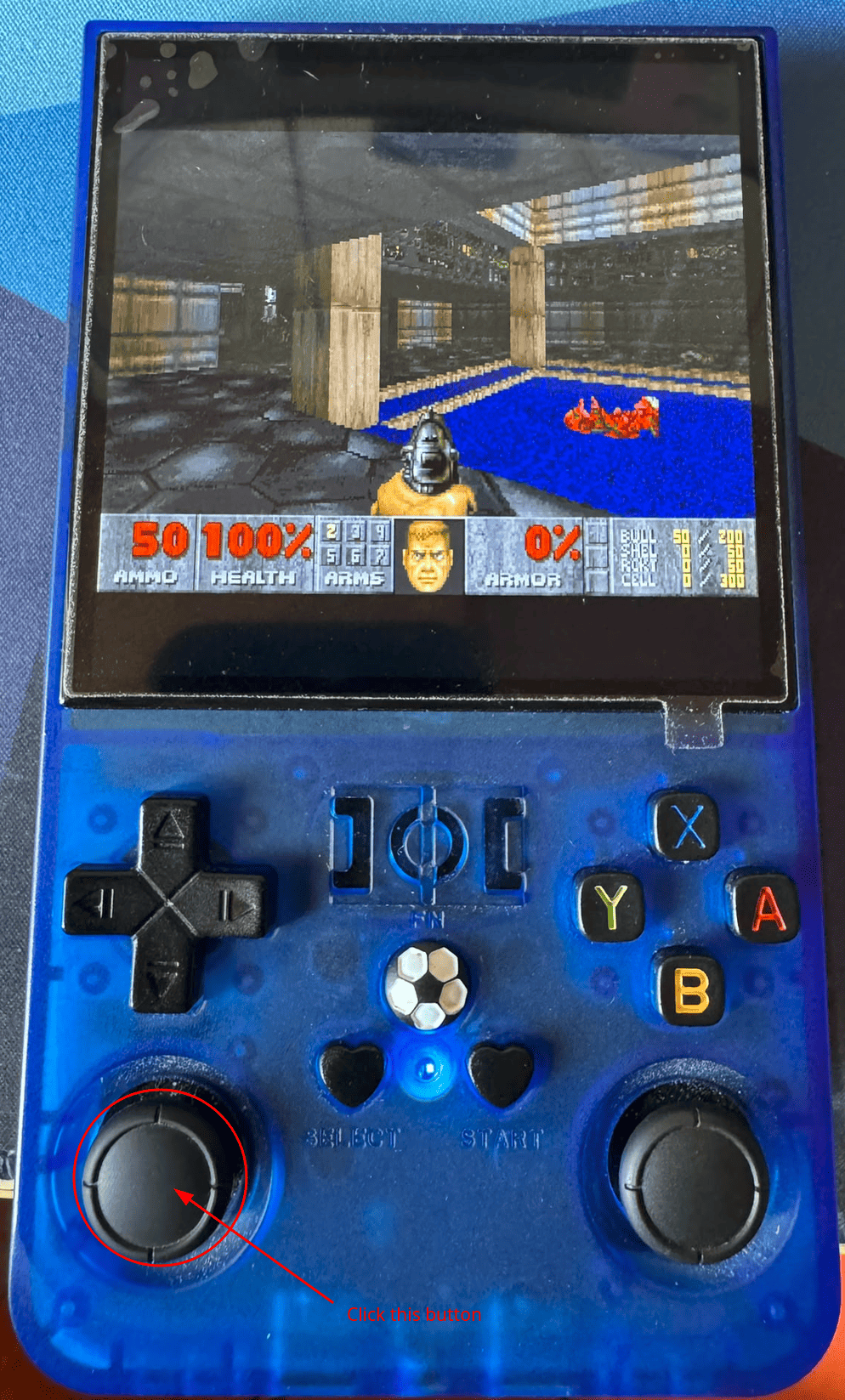
It will bring up this menu:
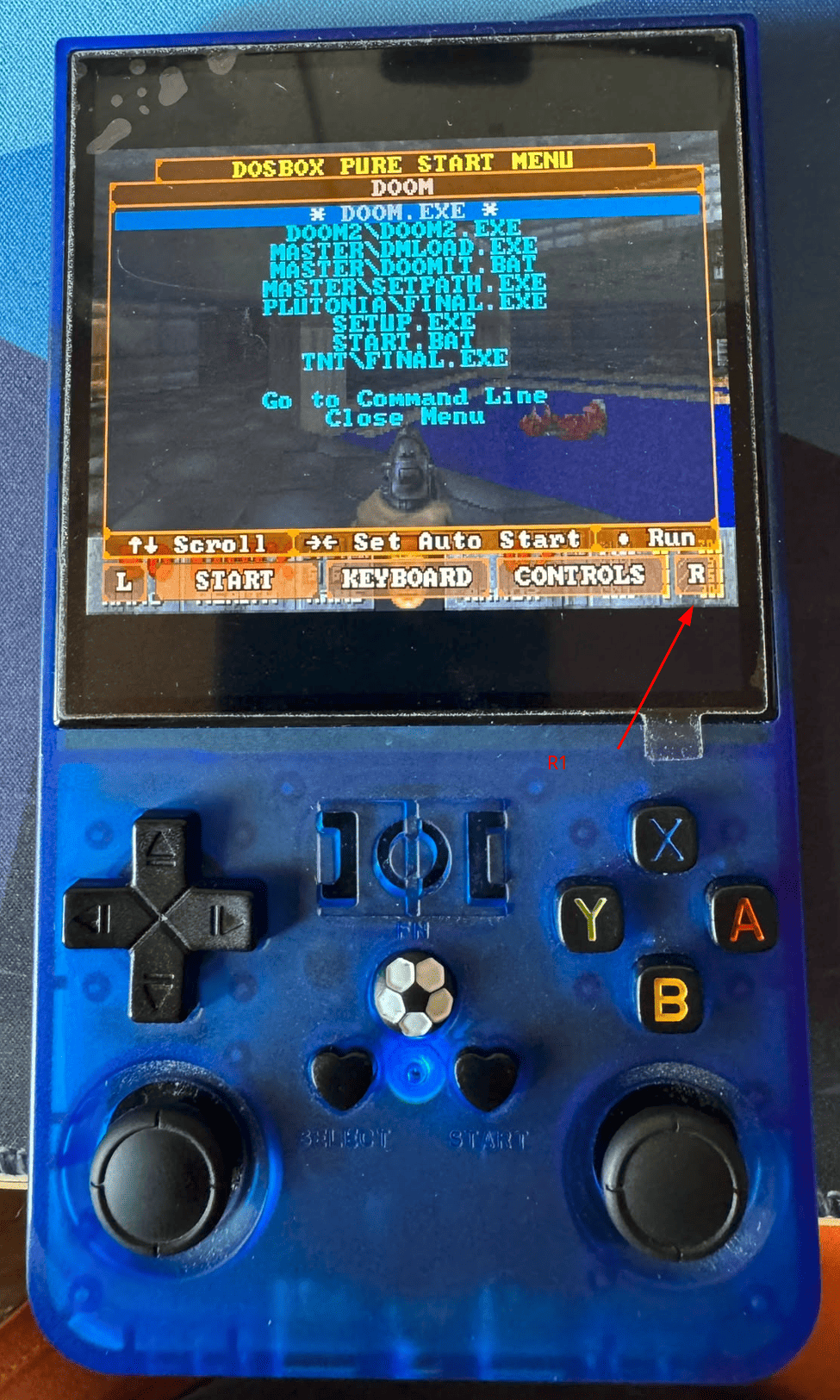
Here, use the R1 key 2 times to get to the CONTROLS menu.
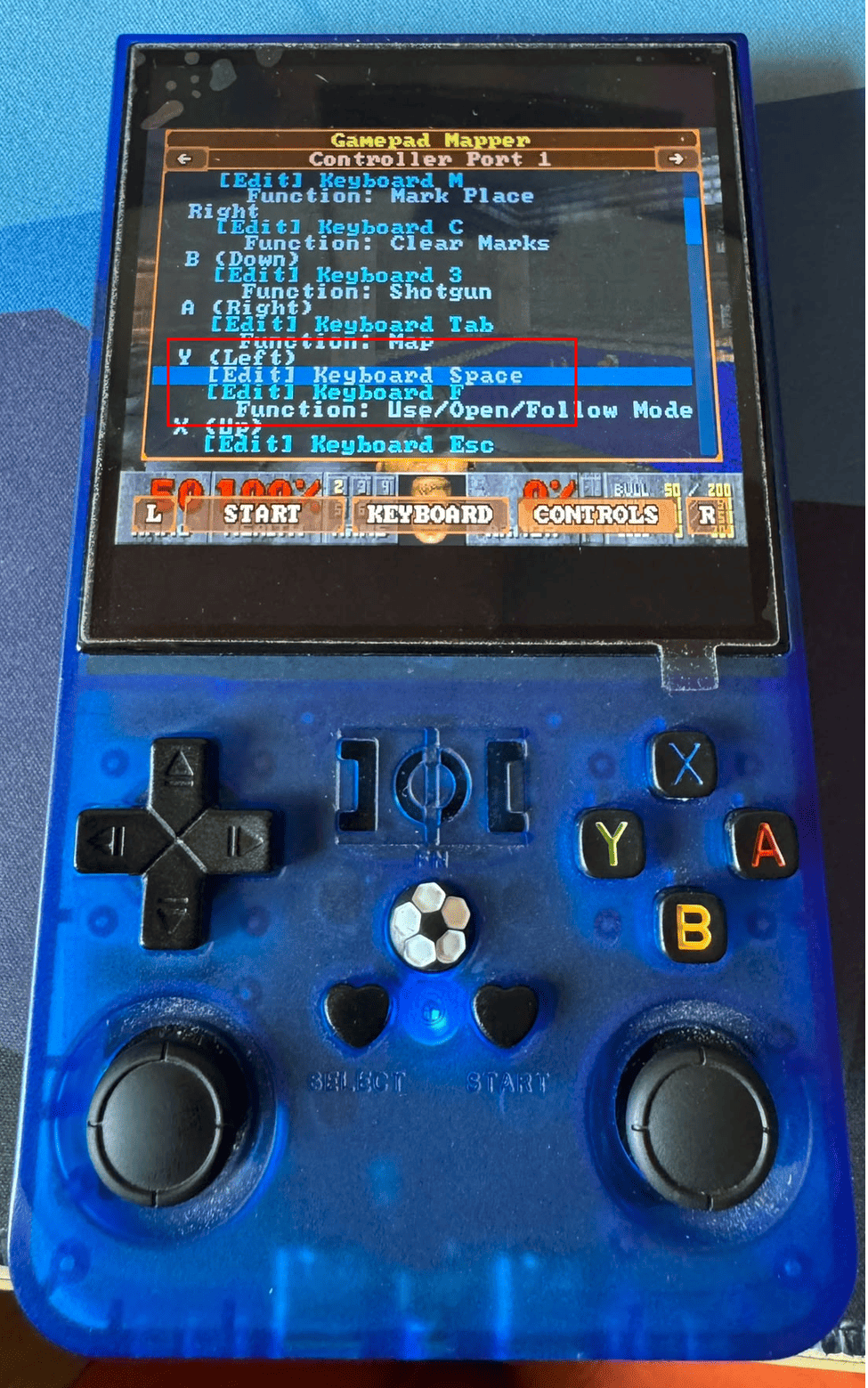
While in the controls menu, use the arrow down key to navigate to the Y (left) mapping. Select the Keyboard F option and hit B to edit.
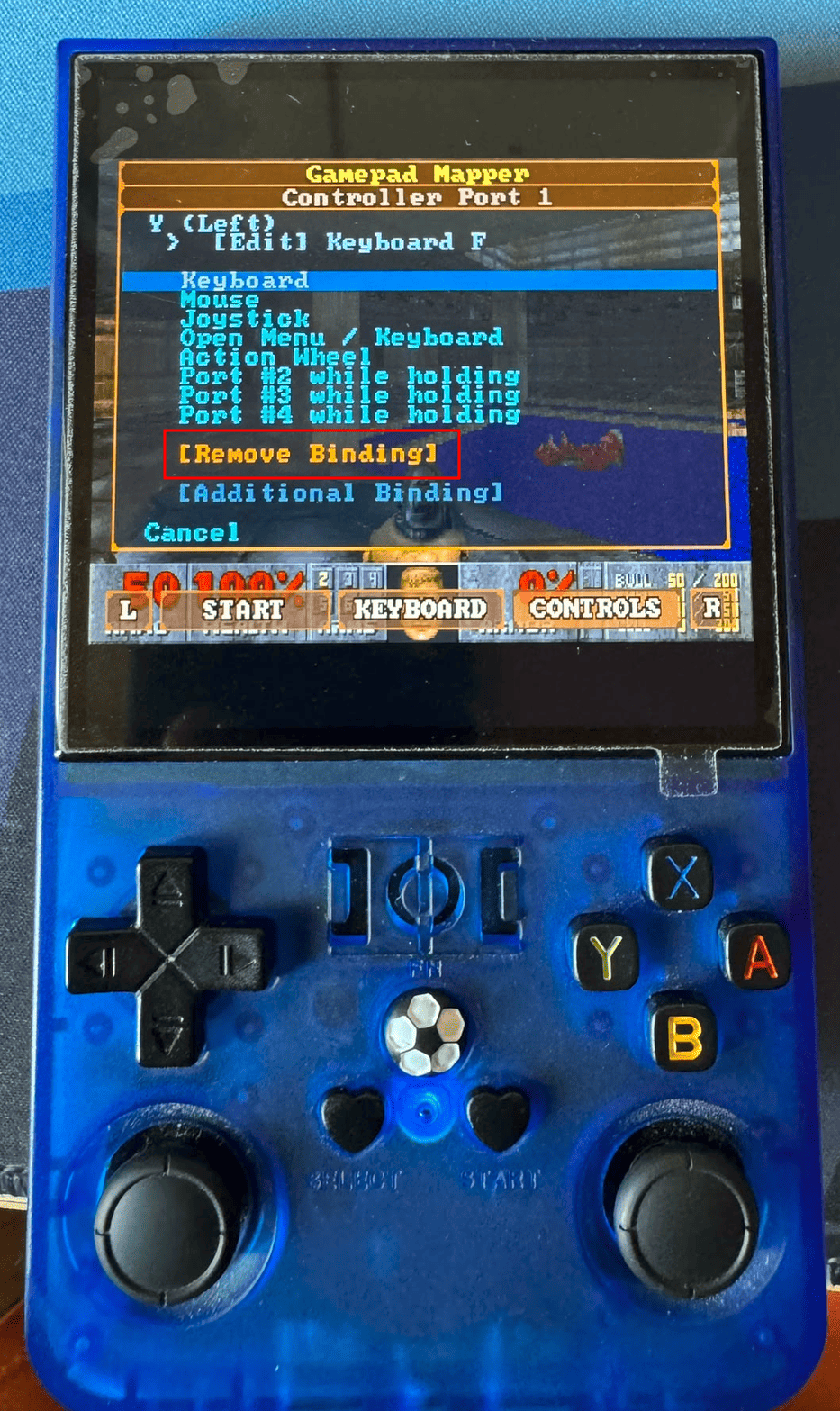
Next, you'll need to select the "Remove Binding" and press B again. Use A to dismiss the menu and check if doors open when you press the Y key.
DOOM2
As of now, I didn't manage to get to a solution when it comes to DOOM2 glitches. Stay posted by hitting the subscribe button on the YouTube channel or subscribe to my newsletter to find out how to solve these issues.